
Launch your study and collect data
Goal: Make your experiment available to participants on Pavlovia and collect data safely.
Before you start
You should already have:
A Pavlovia project synced with your latest experiment files
Completed testing your experiment online
Ensure that you are covered by a Pavlovia licence or that you have credits for your Pavlovia project. See the Pavlovia store to purchase credits, and refer to the credits and license overview for more information.
Setting your project status and data options
Once your experiment is ready for participants:
Go to your Pavlovia project page.
Under Project Status, select Running. This makes the experiment accessible to participants who you share the link with.
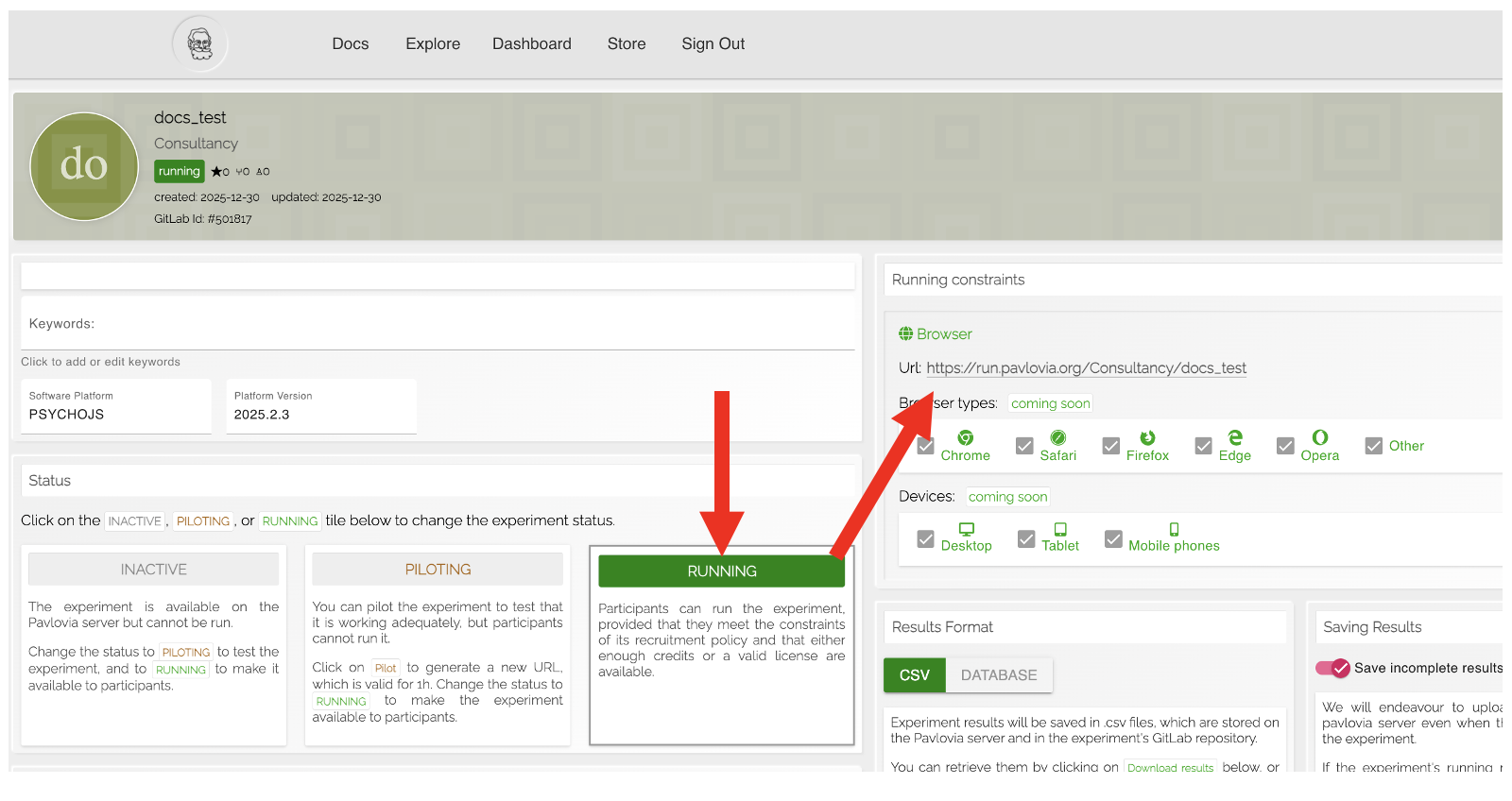
Fig. 23 How to generate a url to share with participants when your Pavlovia project is in running mode.
Configure your Data saving mode. Choose the option that best fits your study needs. Note that when chosing between CSV and DATABASE formats consider a) if you want an individual file for each participant (if yes choose csv) b) if you eventually want to make your Pavlovia project public, including the data files, if yes then choose CSV mode. If you may want to share your experiment files but keep your data private choose DATABASE mode:
CSV – Saves data in CSV format, one file per participant. This is simple and easy to import into Excel or Python for analysis.
DATABASE – Saves all participants’ data in a single database file. Each row corresponds to a trial per participant, and each column corresponds to a variable. This is convenient for larger studies or repeated analysis.
Save incomplete results – Decide whether to save data from participants who do not finish the experiment. Important: This only applies if a participant exits the experiment by pressing the Esc key twice (first press exits full-screen mode, second press exits the experiment). Unexpected browser crashes or hard closes may still result in data loss.
Save periodically (License-only feature) – Saves data periodically during the experiment instead of only at the end. This reduces the risk of losing data if a participant exits early or if a technical error occurs.
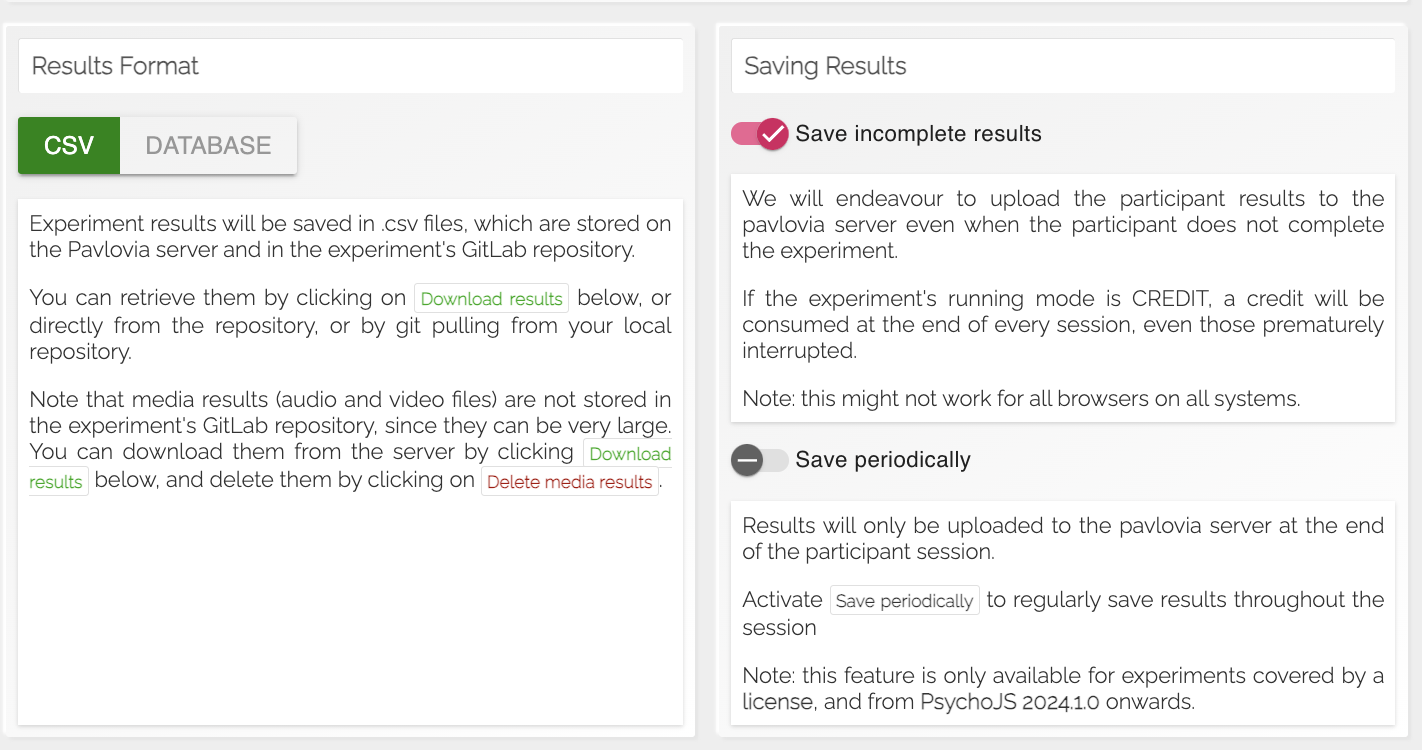
Fig. 24 Screenshot of data saving options on Pavlovia project page.
Monitoring and collecting data
Data from participants is automatically stored in your Pavlovia repository.
You can download the collected data from the Download results button on your project page.
To check out a single data file you can select View Code and see the data folder in the repository.
Best practices
Test a small batch of participants first to ensure everything is recording correctly.
Avoid making changes to the experiment while participants are running it online; if changes are needed, stop the study, update files, and then resume.
Next step
Be familiar with the caveats and cautions of online testing: