
Device Manager
Note
The Device Manager is only available in PsychoPy 2025.2.3 and later.

PsychoPy® includes a Device Manager to help you set up and manage your hardware devices, such as monitors, keyboards, mice, and other input/output devices.
To open the Device Manager, click on the Device Manager icon in the PsychoPy toolbar. From here you can select “add device” to add a new device or select an existing device to edit its settings. Give the device a name and select OK.
To use a specific device in a component you can select the “Device” tab. For example, to present a sound through a specific speaker, configure a speaker in device manager, then in the sound component > Device select the name of the speaker that you configured.
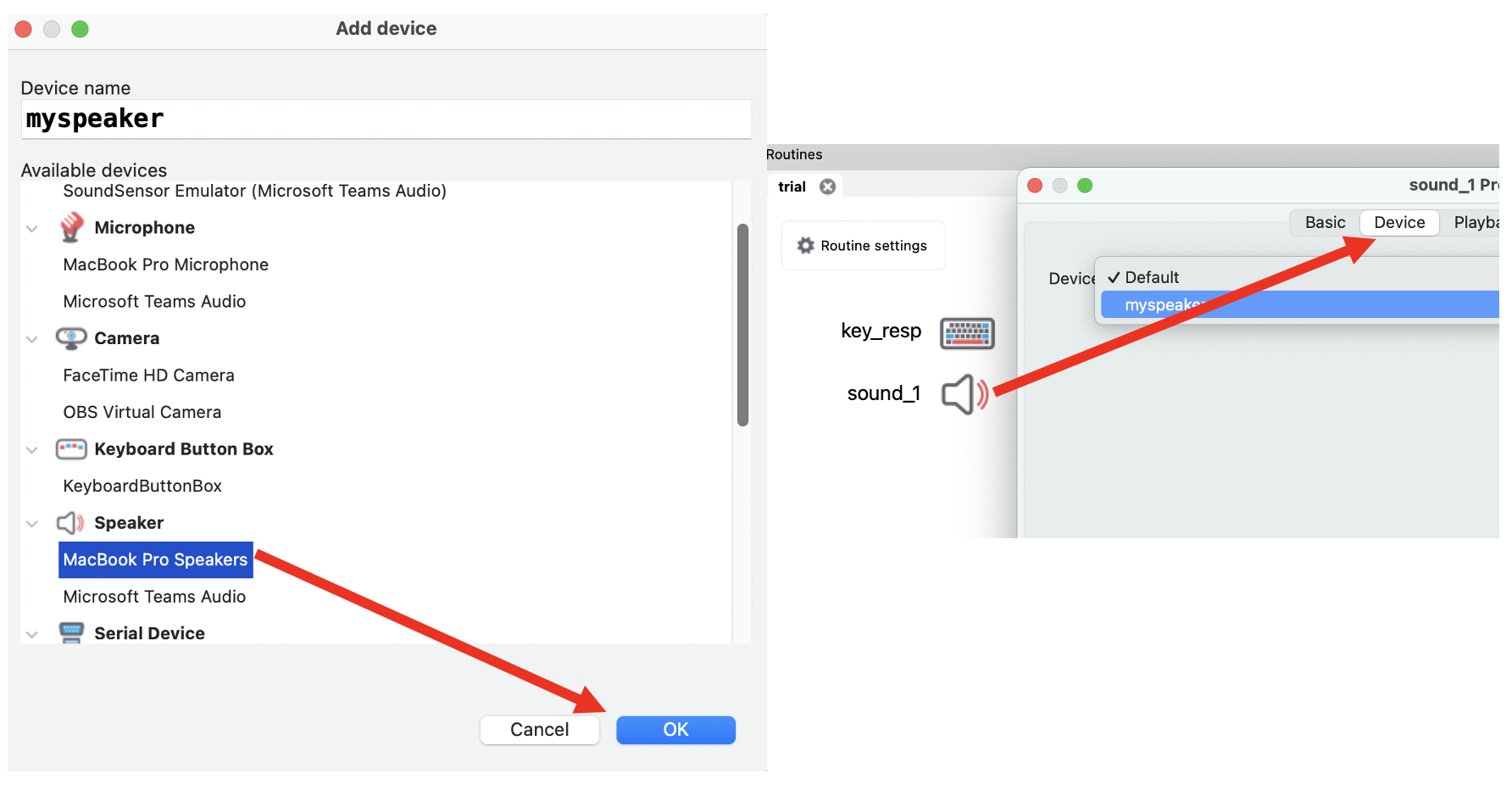
Fig. 1 Screenshot of the device manager window showing a list of configured devices (left) and how to use a configured device in a component (right).
Devices you might configure include:
Microphones
Speakers
Sound sensors (for validating auditory timing)
Light sensors (including a light sensor emulator for emulating a photodiode, for validating visual timing)
Cameras
Button boxes
Serial devices